

Warehouses & departments
Main warehouse plus a stock for each department, minimum levels, counts, transfers and full history.
Production ERP for small and mid-size factories
Fabricus follows every job through your factory: the material it takes, the time each worker spends, the defects, the machines. It turns that into the real cost, the right price, a proposal for the customer, and books that keep themselves.
Step 2 of 6 · CNC shaping
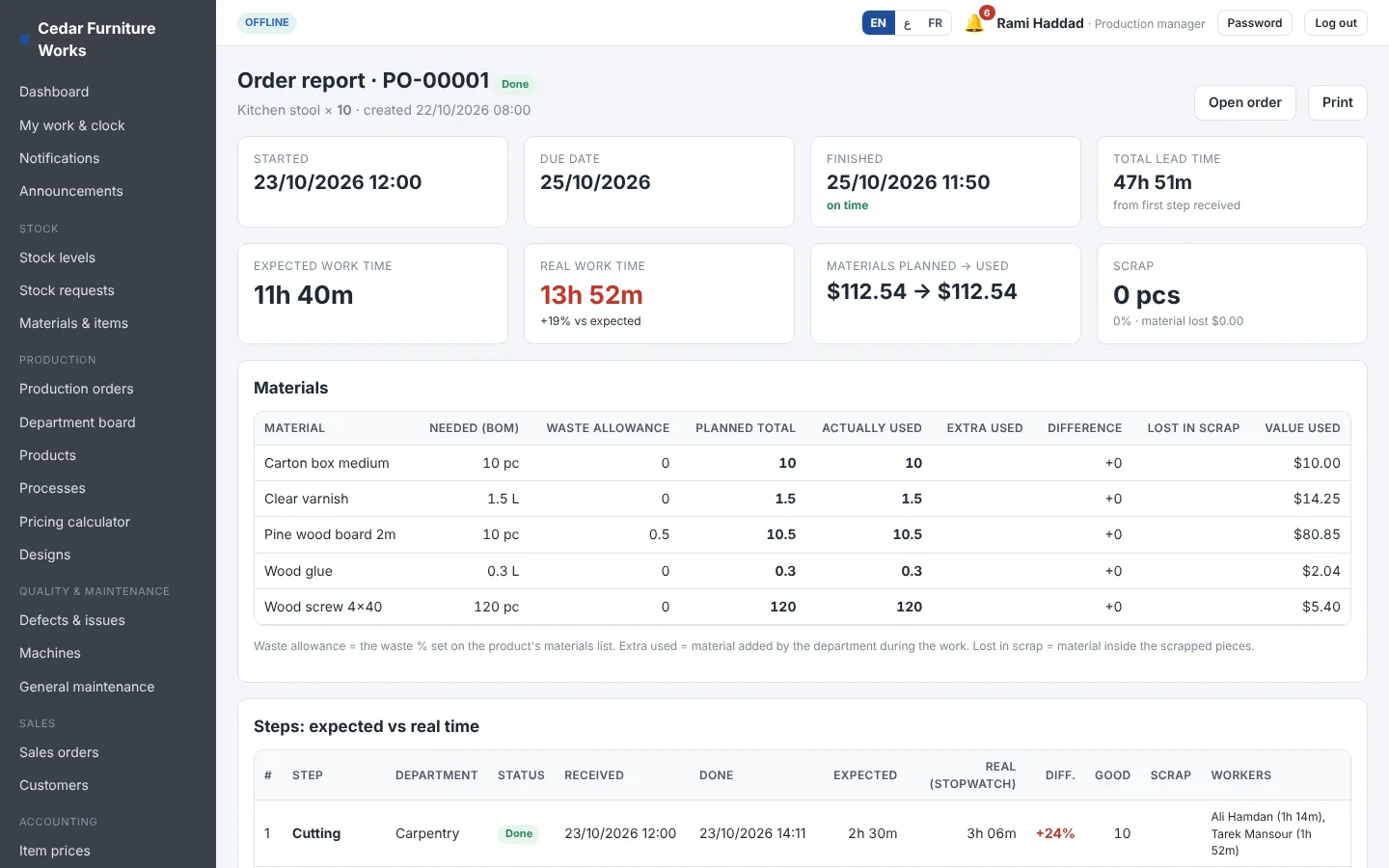
| Pine board 2 m · planned → used | 25.2 → 25.2 pc |
| Expected time (all steps) | 18 h 00 m |
| Cutting · expected → real | 2 h 30 → 3 h 47 |
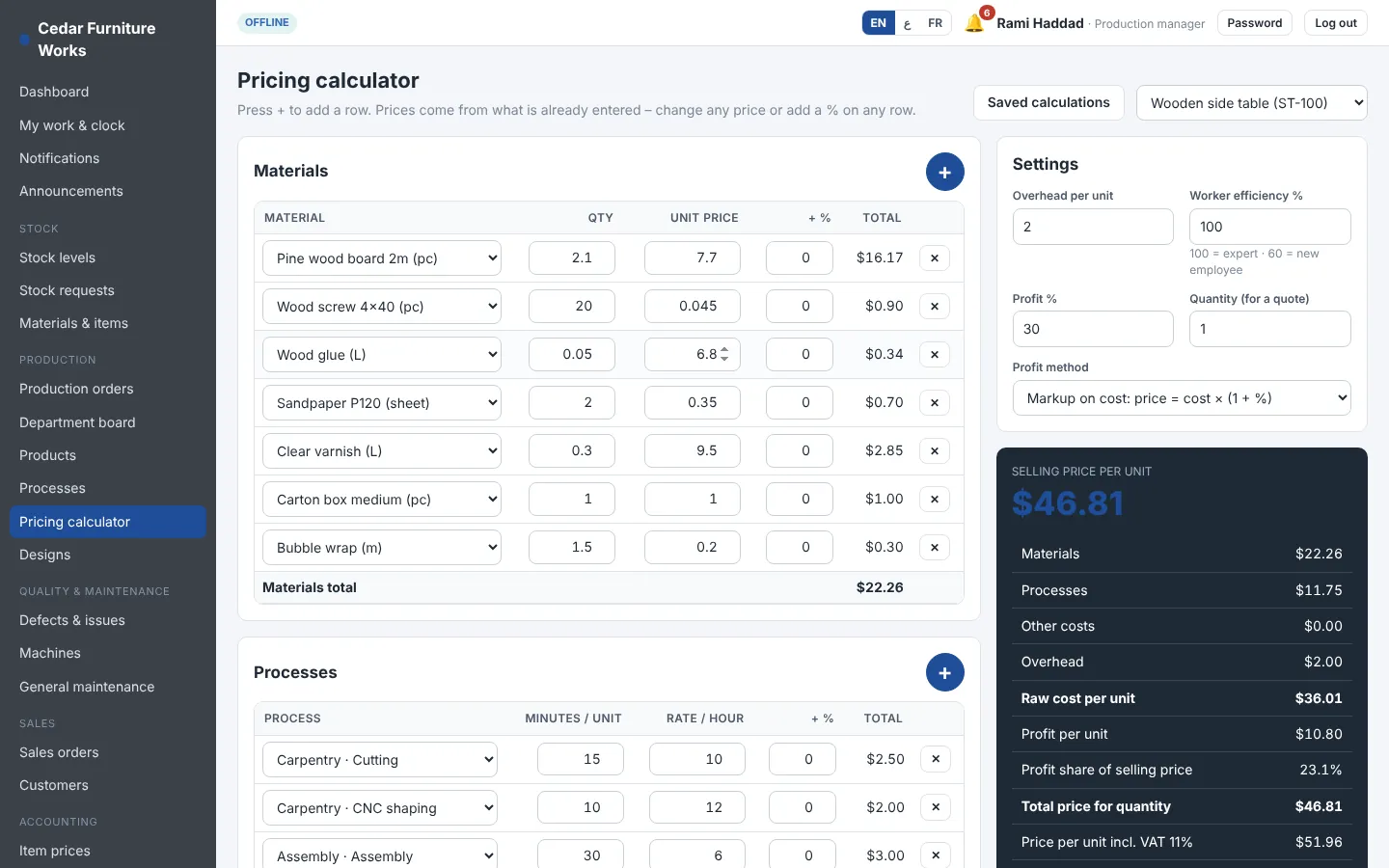
| Cost per piece | $36.01 |
| Selling price · markup 30 % | $46.81 |
Why factories switch
Prices are often set from last year's list or a quick estimate. Material prices move every month; labour time is never measured.
Fabricus calculates cost from the materials list, the waste, the minutes of each step and the cost of each worker – then applies your markup or margin.
Material leaves the warehouse and disappears between departments. Nobody knows what was used, wasted or scrapped.
Every department has its own stock. Workers request, supervisors approve, the warehouse issues – and every order shows planned against used.
Without real times you can't plan, you can't price and you can't tell a fast worker from a slow one.
Workers start and stop a stopwatch on their phone. You see expected against real time for every step and every person.
How a job moves through Fabricus
One program follows the whole route, so every number is entered once and used everywhere.
Step 1 · Material in
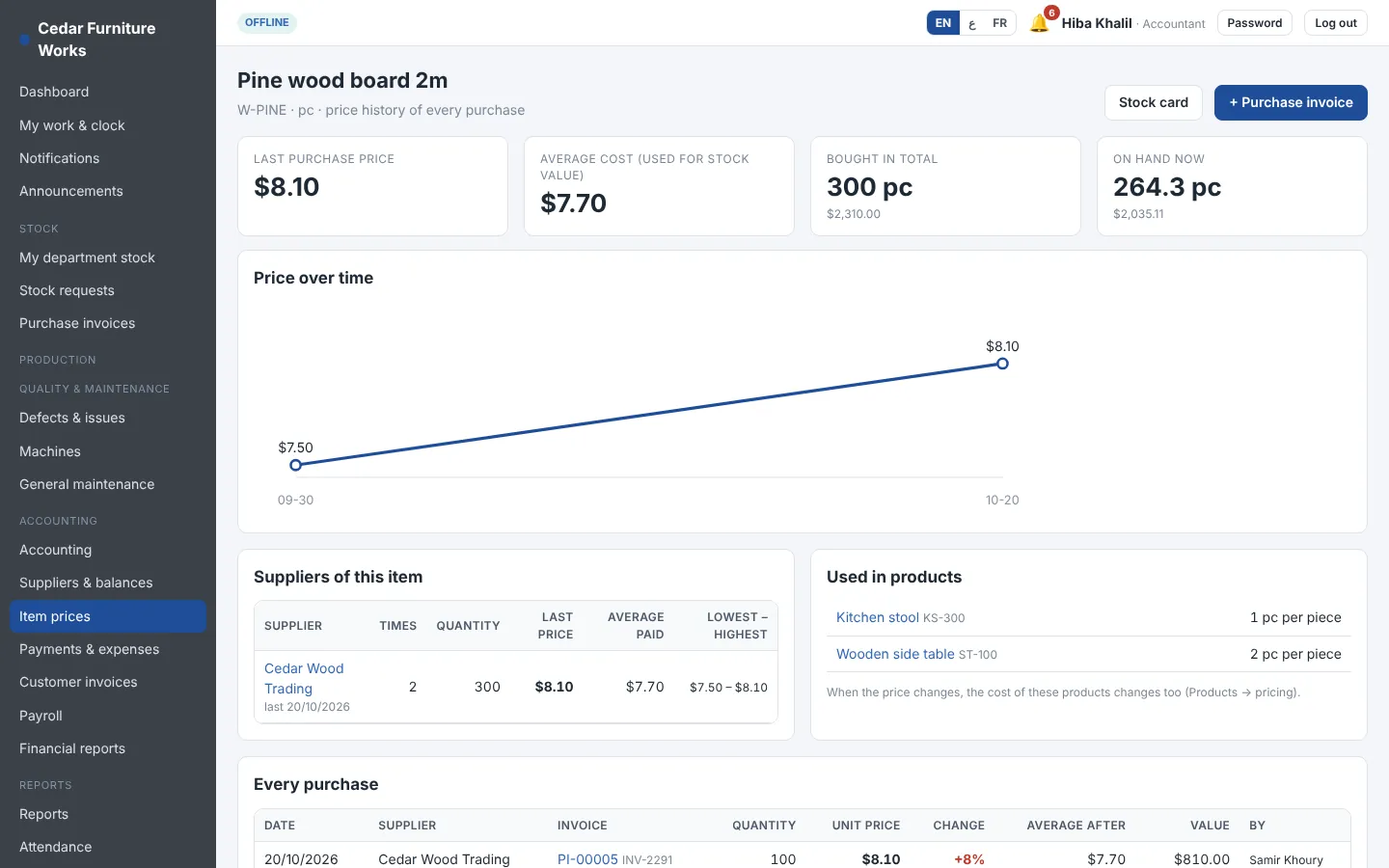
The warehouse enters the supplier's invoice with a photo taken on the phone. Stock goes into the main warehouse, the last price and the average cost update, and you see right away when a supplier raised the price.
Step 2 · Departments produce
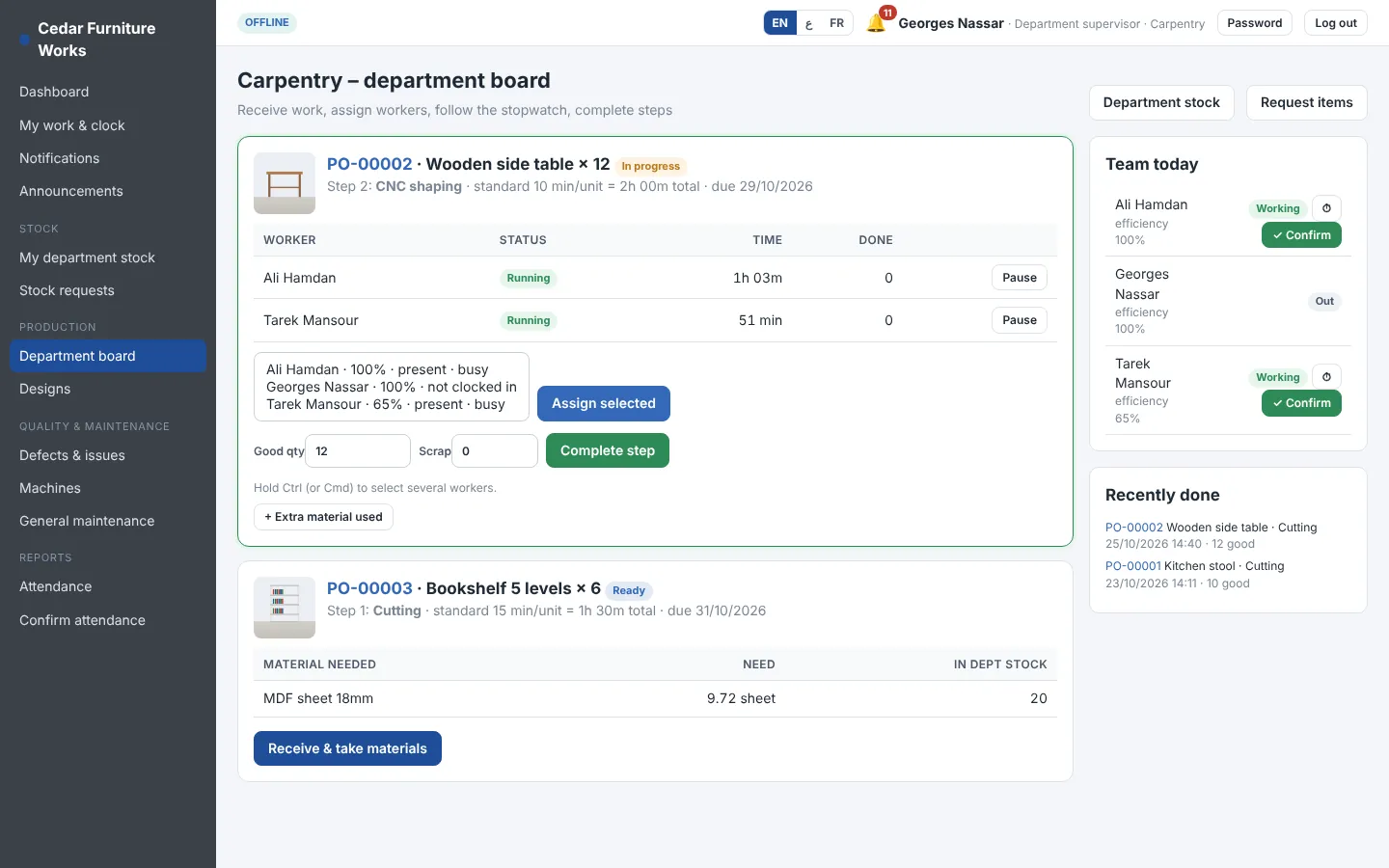
Supervisors receive the job, give it to their workers and complete it. Workers use a stopwatch on their phone and report defects with a photo. When a step is done, the next department is notified.
Step 3 · Cost and price
Each product has its materials list and its process steps. Fabricus adds material, waste, labour (from the salaries), machine time and overhead, then gives a price with your markup or margin. Change any number and see the result live.
Step 4 · Sell
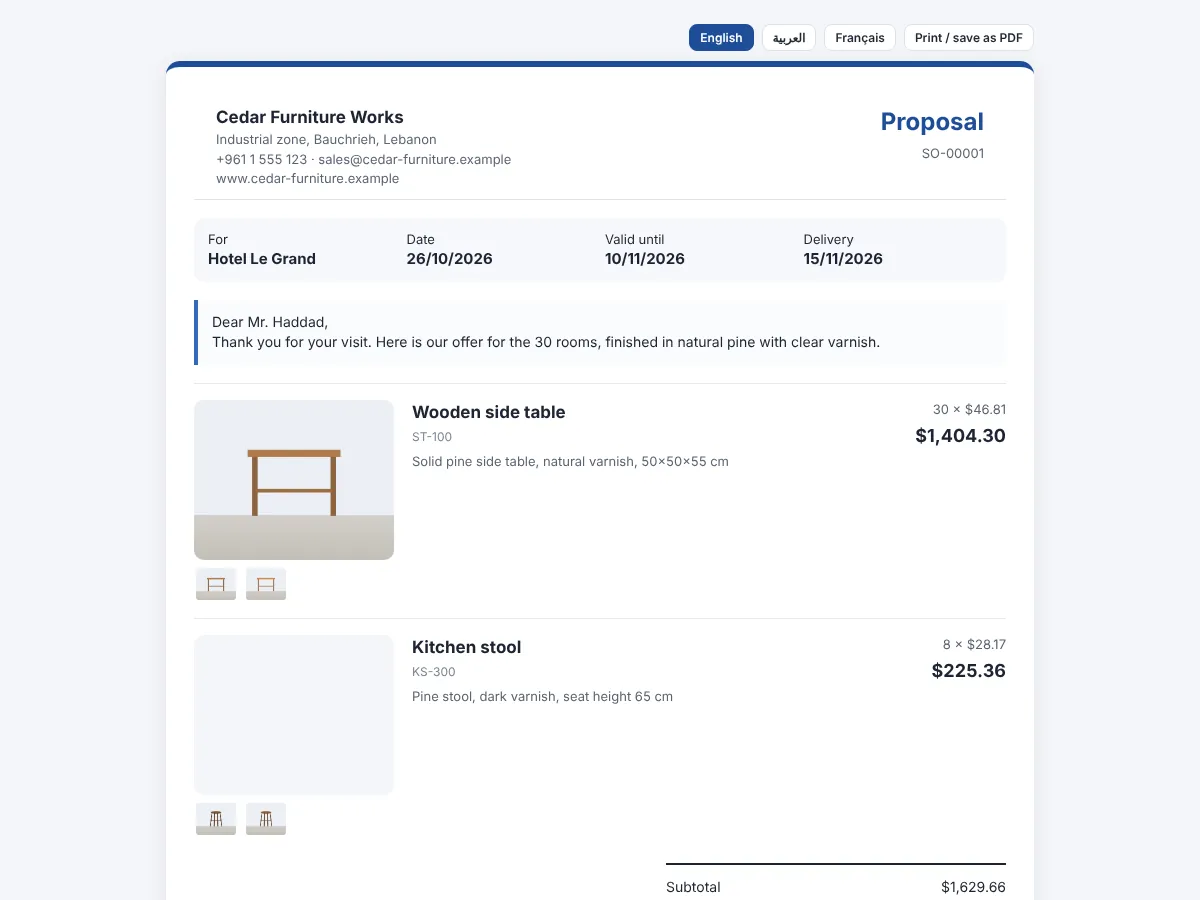
Each sales order creates a proposal page with your logo, product photos, prices and terms. Send it by WhatsApp or email. You see when the customer opens it and when he accepts.
Step 5 · Books close themselves
Purchases, material used, finished goods, deliveries, payments and payroll are posted automatically in double entry. The accountant sees profit and loss, the balance sheet and what each supplier and customer owes.
Attendance you can trust
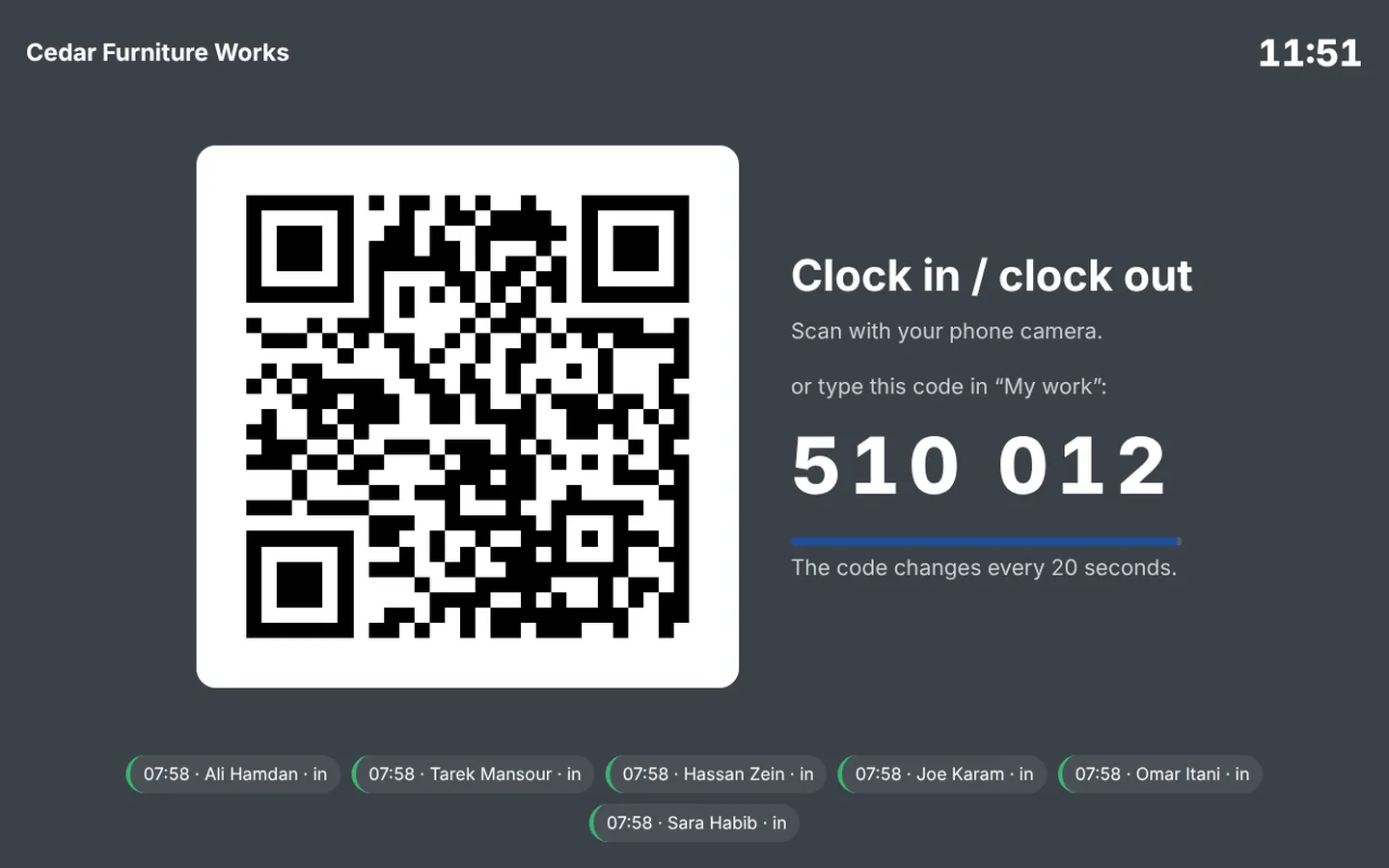
Clocking in from the road or asking a friend to clock you in does not work with Fabricus. A tablet at the entrance shows a code that changes every 20 seconds; the worker scans it with his own phone, and his supervisor confirms that he was really there.
Talk to your team
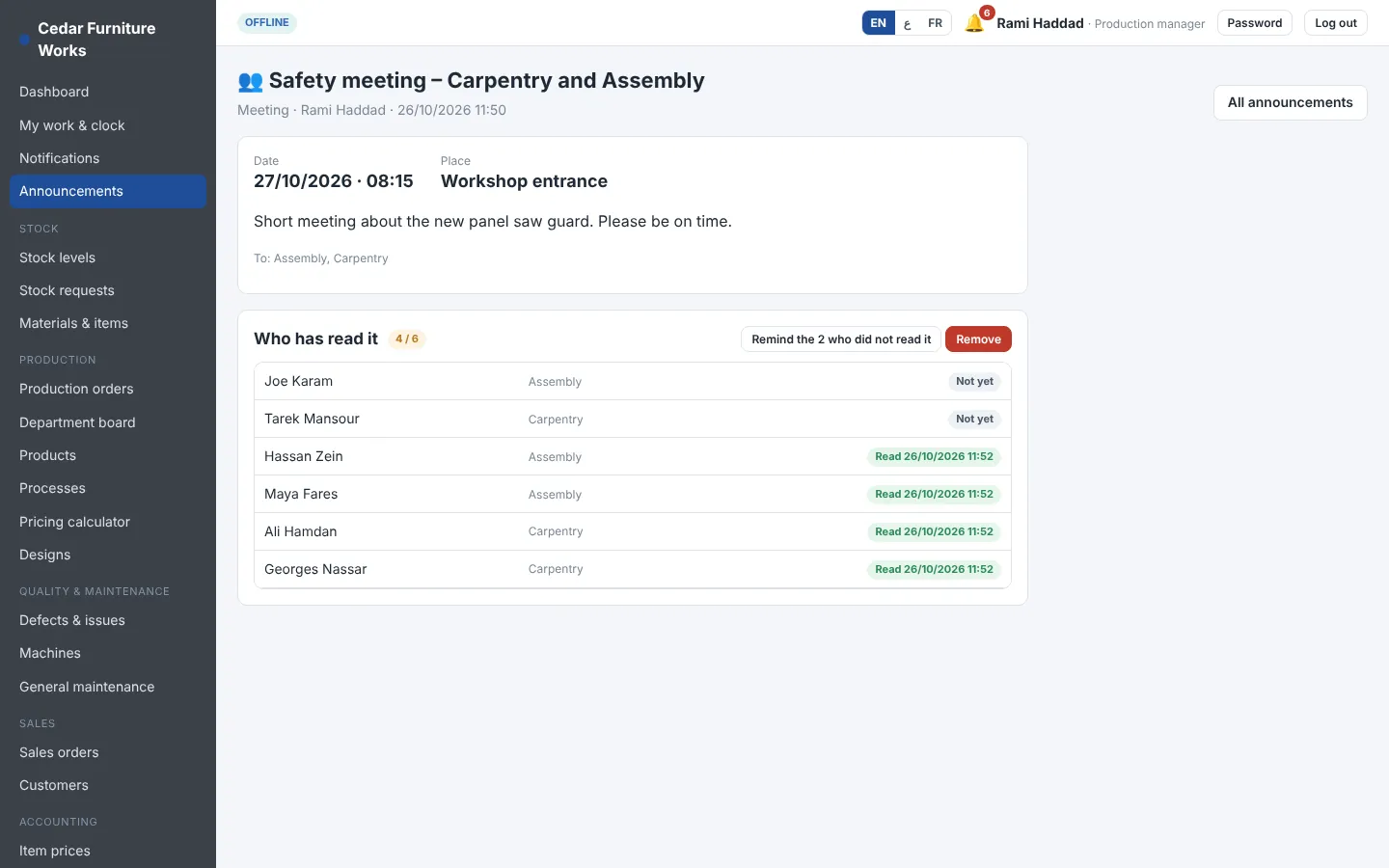
A holiday, a safety meeting, new working hours: send it to everybody, to one or more departments, to a role or to chosen people. It arrives as a notification on their phone and stays at the top of their screen until they open it.
Everything in one program
Turn on what your factory needs. Each company chooses its modules.
Main warehouse plus a stock for each department, minimum levels, counts, transfers and full history.
Materials list and process steps per product. Orders move from department to department.
Receive, assign and complete work. Real time per worker, pauses and efficiency learned over time.
Material, waste, labour, machines and overhead. Markup or margin, saved calculations.
QR code at the gate, one phone per worker, supervisor confirmation, late and early reports.
Holidays, meetings and news to everybody, departments, roles or chosen people – with read receipts.
Sales orders, proposals with photos, customer acceptance, delivery from finished stock.
Invoice scan, last price, average cost, price alerts, supplier statements.
Double-entry books filled automatically: journal, ledger, P&L, balance sheet, payments, expenses.
Monthly or hourly pay from confirmed hours, overtime, allowances, deductions and payslips.
Anyone can report a defect with a photo. Root cause, cost and resolution are tracked.
Preventive maintenance schedules, breakdowns, downtime and repair costs per machine.
A page for designers: files, versions, comments and approval before production.
Production, employees, stock, quality, maintenance and a full report for each order.
Your logo and colours, English, Arabic and French, two currencies and your own words.
A separate database per company, automatic backups, permissions per person and an activity log.
Everyone has a screen made for his job
Sees cost, profit, cash and every report. Decides who can do what, person by person.
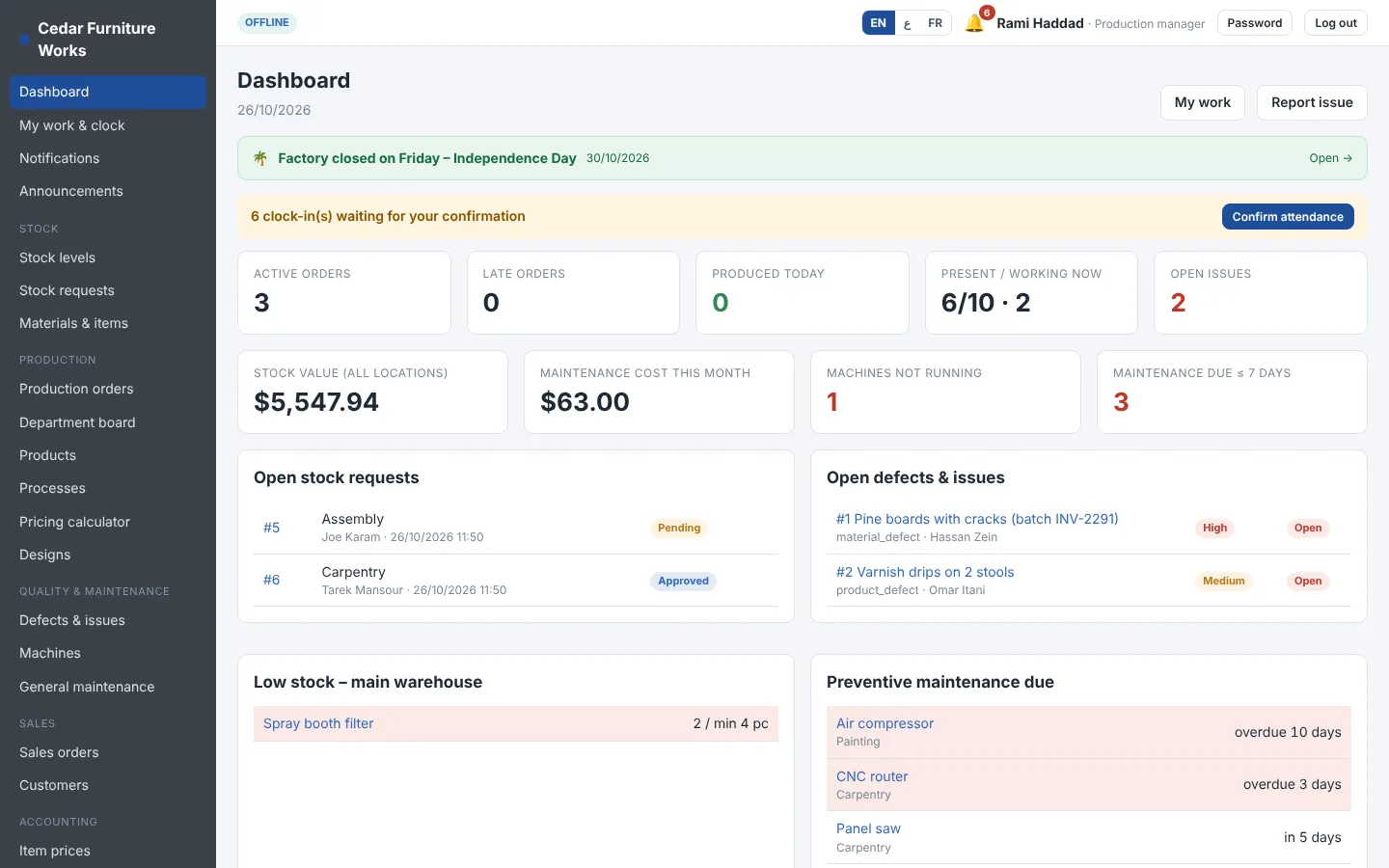
Creates production orders, follows late orders, machines down and open defects.
Receives jobs, gives them to workers, completes steps, approves material and confirms attendance.
Clocks in at the gate, starts and pauses his task, reports a defect with a photo.
Enters purchase invoices with a photo, issues material to departments, counts stock.
Item prices, supplier balances, payments, payroll and the books – filled automatically.
Sales orders and proposals with photos that the customer accepts on his phone.
Preventive maintenance and repairs per machine; design files and approvals.
Made for the region
Every company chooses its languages: English, Arabic (right to left) and French. Each user picks his own. The program wears your logo and colours, and you can rename anything – call a department a workshop, or a production order a job.
Install it your way
Your data lives where you decide.
Nothing to install. Open it from any phone, tablet or computer. We run the server, the updates and the backups.
Installed on a computer or server inside your factory. Works without internet; workers connect over your local network.
The factory works on its own copy and an online copy stays in sync, so the owner can follow the numbers from anywhere.
Your data
Companies never share tables. Each one has its own database and its own folder for files.
Workers, supervisors, warehouse, sales, accountant, manager. Give or remove any single permission for one person.
Complete backups of the database and files, on a schedule, to the destination you choose.
Who created, changed, approved or cancelled what – and when.
Accounting entries are never deleted. Mistakes are corrected with a reversing entry, and past periods can be closed.
Photos are compressed when uploaded, so pages stay light on a phone in the workshop.
Who uses it
Pricing
Plans start at $49 per month. No price per user.
Try Fabricus free for 14 days with a demo factory already inside: stock, orders, workers and accounting. No card needed.
For a small workshop starting to measure.
Up to 10 users
Yearly: $490 – 12 months for the price of 10
For a factory with several departments.
Up to 30 users
Yearly: $1,290 – 12 months for the price of 10
For larger plants and groups.
Unlimited users
Yearly: $2,990 – 12 months for the price of 10
Prices in US dollars, without VAT. Starting prices: we confirm a fixed price after a short call about your factory.
Yes. You get 14 days free with a demo furniture factory already inside, so you can try every screen and every role – manager, supervisor, worker, warehouse and accountant. No card is needed. When you are ready, one button removes the demo data and you start with your own.
Fabricus is a production ERP for small and mid-size factories. It manages raw material stock, department stock, production orders, worker time, product cost and pricing, sales proposals, purchases, accounting and payroll in one program.
Any factory that turns materials into products through steps: furniture, glass decoration, metal, printing and packaging, plastics, garments, food production and more. Departments, processes and terms are set up for your own factory.
Yes. Fabricus works in English, Arabic and French. The Arabic interface is written right to left, and each user chooses his language. Customer proposals can be opened in any of the three.
Yes. The offline version is installed on a computer or server inside your factory and works without internet. Workers use their phones or tablets over the factory's local network.
From the materials list (with the waste percentage), the minutes of each process step, the hourly cost of the workers (taken from their salaries) and their efficiency, the machine cost per hour and the overhead. The selling price then uses your markup or margin.
No. You pay one price per factory, by plan: Starter up to 10 users, Business up to 30 users, Pro without a user limit.
A tablet at the factory gate shows a QR code that changes every 20 seconds, so the worker has to be at the gate to scan it. Each worker can clock in only with his own phone: a borrowed phone is refused and the manager is notified. Clock-ins from outside the factory network are marked, and every clock-in waits for the supervisor's confirmation before it is paid.
His supervisor (or a manager) records his clock-in or clock-out by hand with the reason. It is marked as entered by hand in the attendance report, and the manager is told.
Yes. Send a holiday, a meeting or any message to everybody, to departments, to roles or to chosen people. They get a notification on their phone, and you see who has read it.
Each company has its own separate database. Access is given by role and per person, every action is logged, and backups run automatically. With the offline version the data never leaves your factory.
Request a demo. We show Fabricus with examples from your own products, then enter your products, materials lists and processes with you and train your team.
Contact
Tell us what you make and how many people work in your factory. We will show you Fabricus with an example from your own products.
To prepare the demo, send us: