Home / Features
Everything a factory needs, in one program
Built around how a factory really works: material comes in, departments work on it, products go out – and every step leaves a number you can trust.
Production orders
Follow every order from department to department
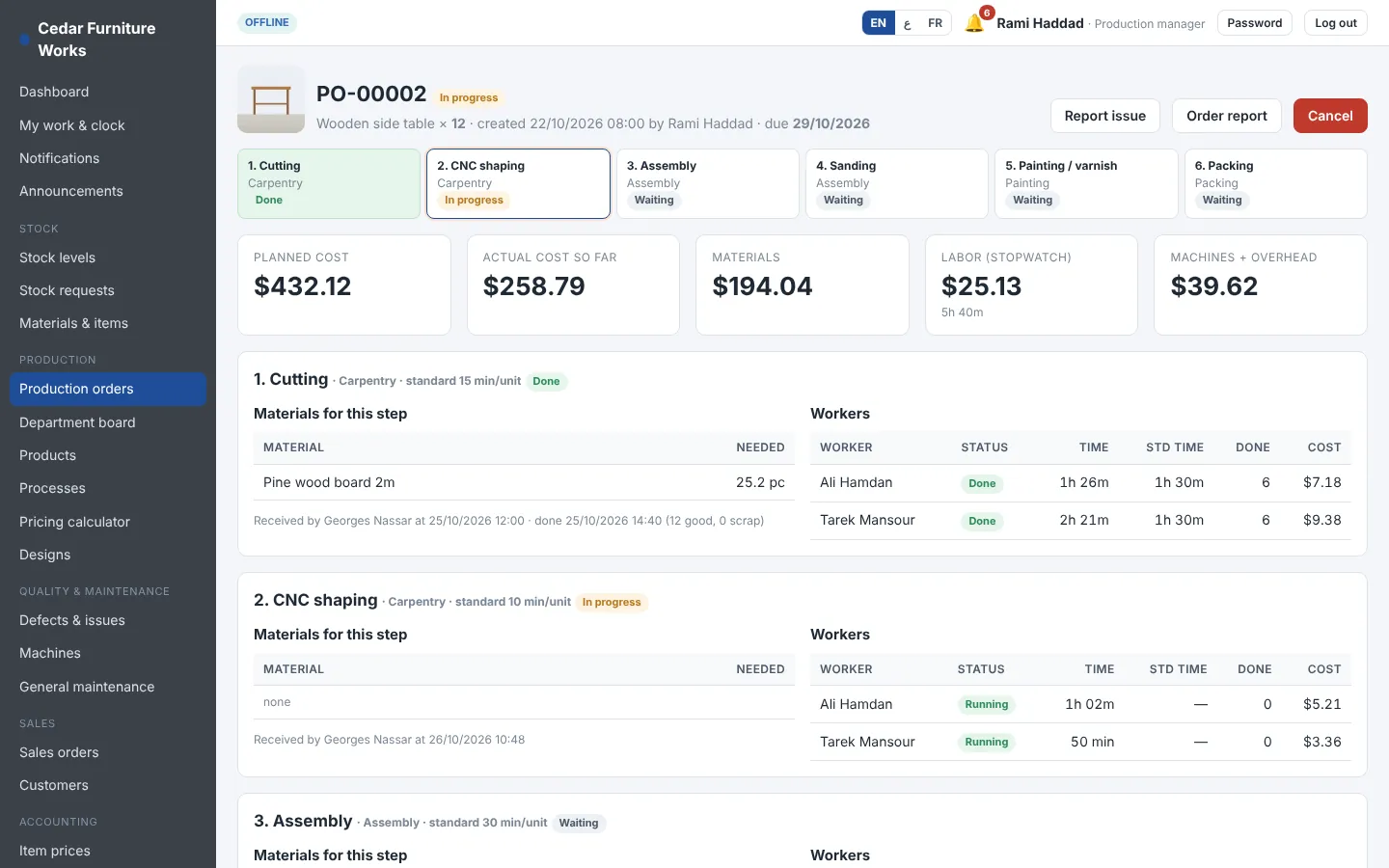
Each order shows its steps, who works on it, the material for each step and the cost so far. When a department finishes, the next one is told.
- Planned cost against actual cost
- Material per step, taken from the department stock
- Report a defect from the order
Shop floor
A stopwatch in every worker's pocket
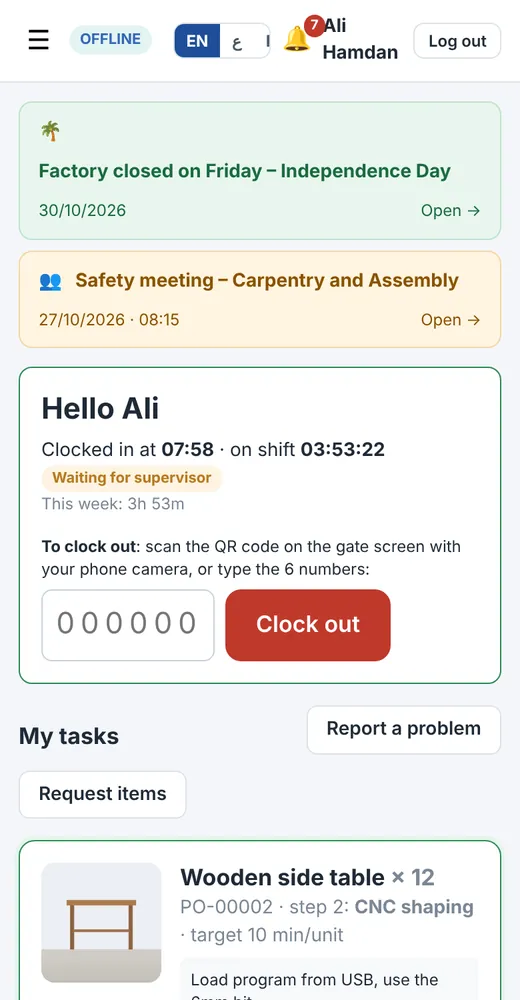
Workers clock in, start and pause their task and finish it from their phone. Supervisors see who is working on what, live.
- Pauses with a reason (break, waiting for material, machine down)
- Efficiency of each worker learned from real times
- Clock in and clock out for attendance
Attendance
A QR code at the gate
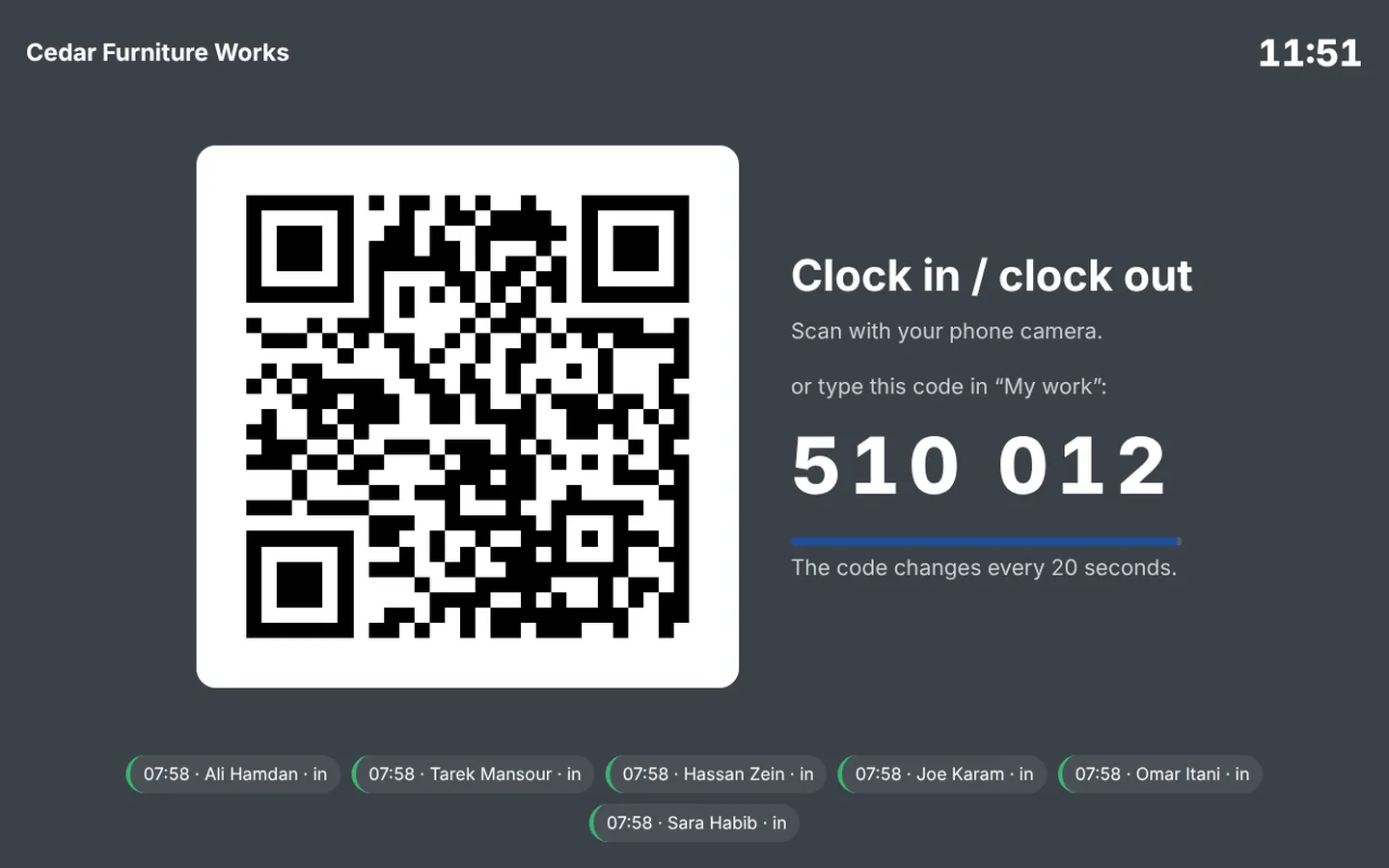
A tablet at the entrance shows a QR code and a 6-digit code that change every 20 seconds. Workers scan it with their own phone to clock in and out. The gate screen works only on the paired tablet, so nobody can open it at home.
- Works without internet in the offline version
- Clock-ins from outside the factory network are marked
- The last clock-ins are shown on the gate screen
Attendance
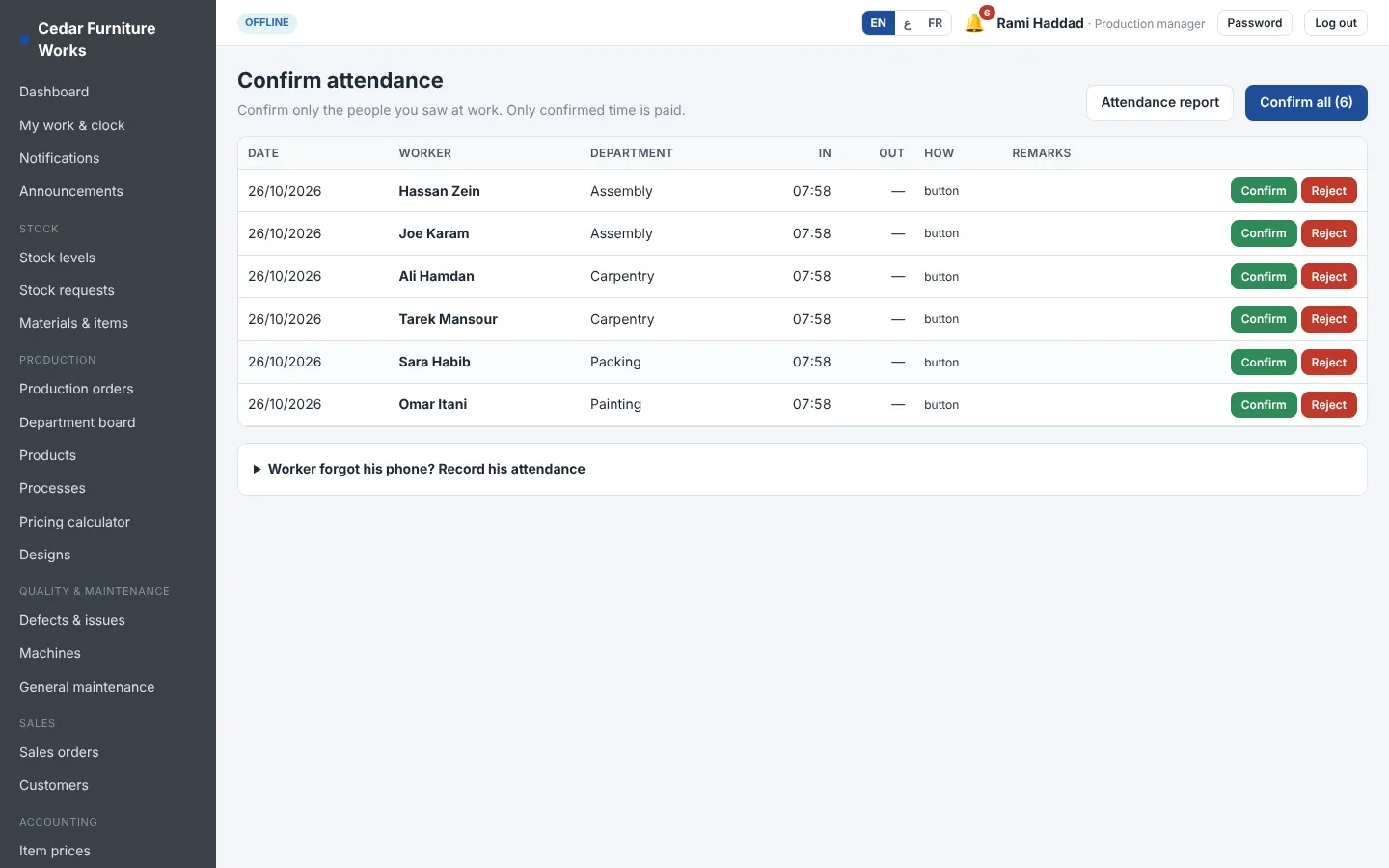
Supervisors confirm, payroll pays confirmed time
Every clock-in waits for the department supervisor or a manager. Reject one and the time is closed and never paid. A worker who forgot his phone can be clocked in by hand, with the reason, and the manager is told.
- One phone per worker – a borrowed phone is refused
- New phones need the manager's approval
- Confirm everyone at once or one by one
Department boards
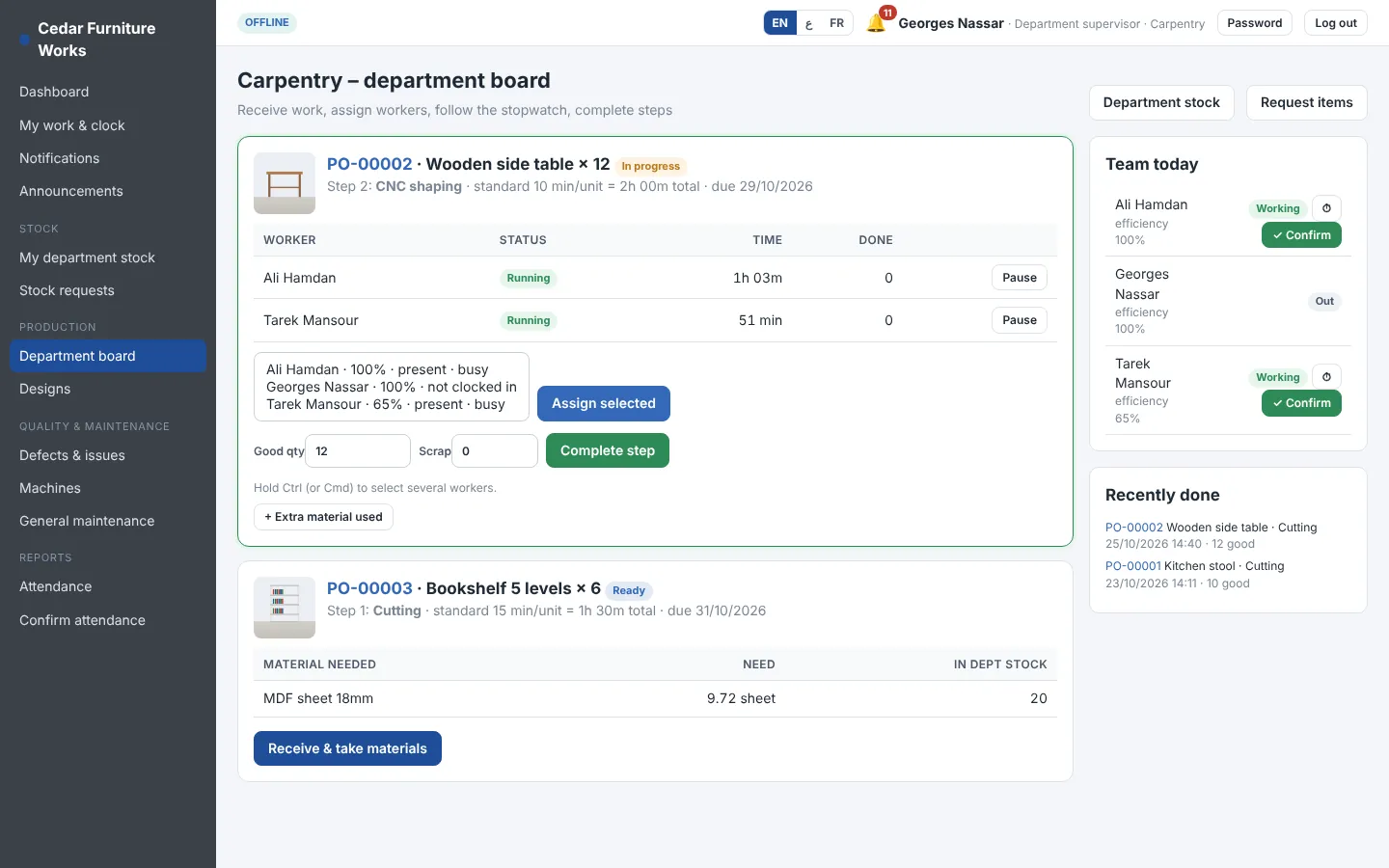
Receive, assign, complete
Each supervisor has a board with the jobs waiting, in progress and done, the material needed and the material in the department.
- Request material, supervisor approves, warehouse issues
- Record extra material used on a job
- Good and scrapped quantities at every step
Costing & pricing
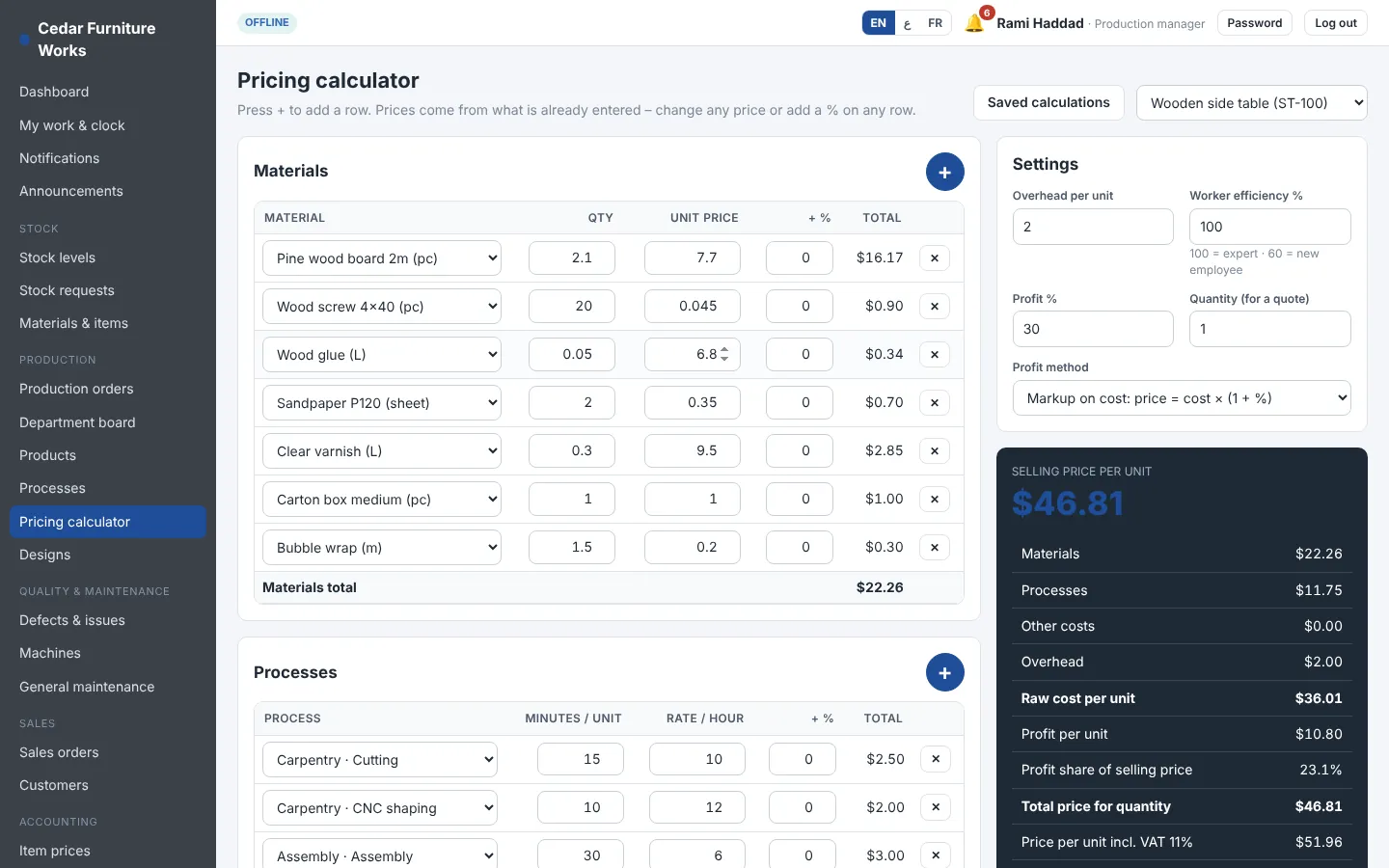
A pricing calculator your accountant will trust
Start from the product's materials and processes, change any price, add a percentage on a row, try another quantity. Save the calculation or apply the price to the product.
- Markup on cost or margin on price
- Labour cost from salaries, machine cost per hour, overhead
- Average cost or last purchase price
Order report
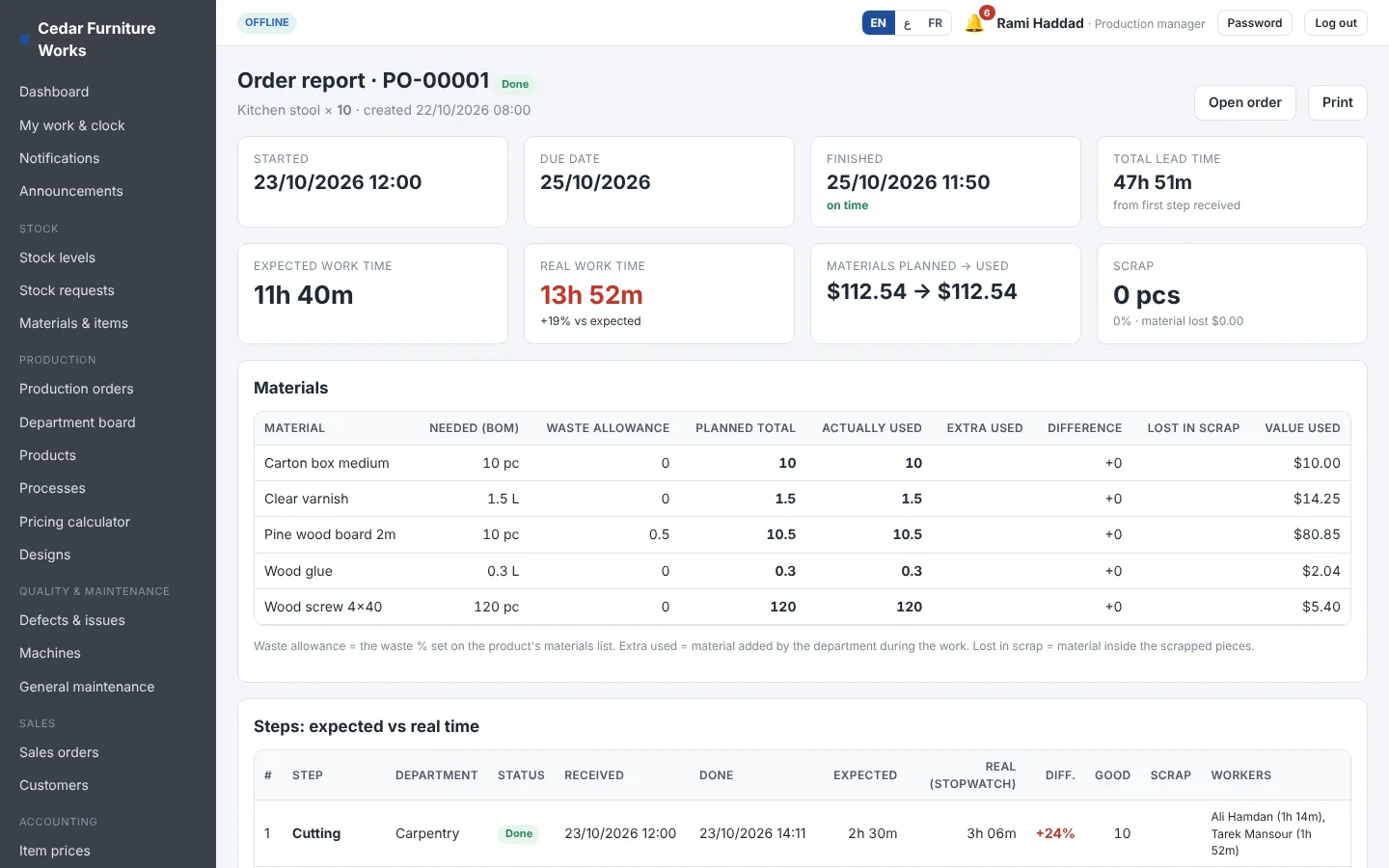
Planned against real, for every order
For every order: material planned (with waste) against material used, extra material, material lost in scrap, expected time against stopwatch time for each step and each worker, and the full cost.
- On time or late, by how many days
- Variance per step in %
- Export and print
Sales
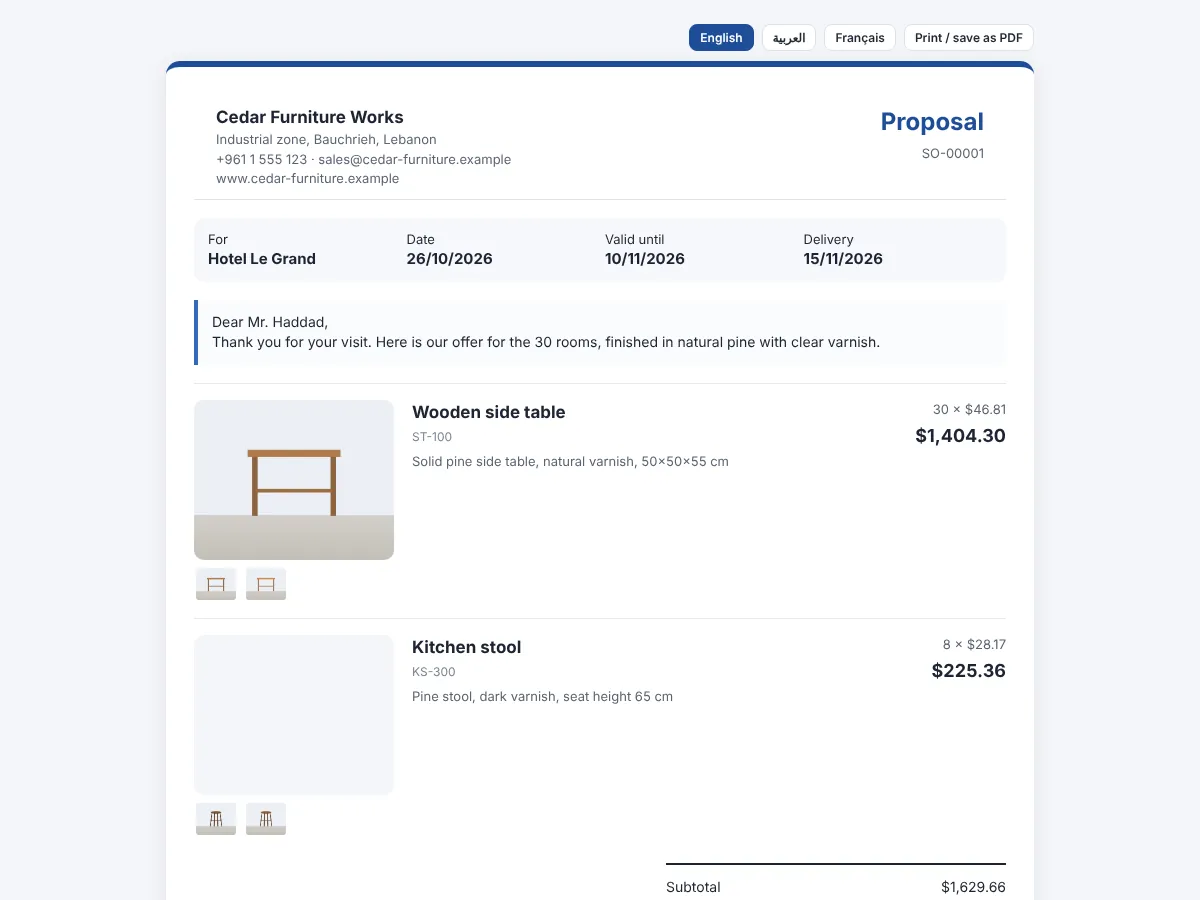
Proposals with photos, accepted online
The customer receives a link by WhatsApp or email and sees your logo, the product photos, prices, VAT and terms. He accepts or declines from his phone and you are notified.
- Valid-until date and terms
- Second currency shown
- Printable as PDF
Purchasing
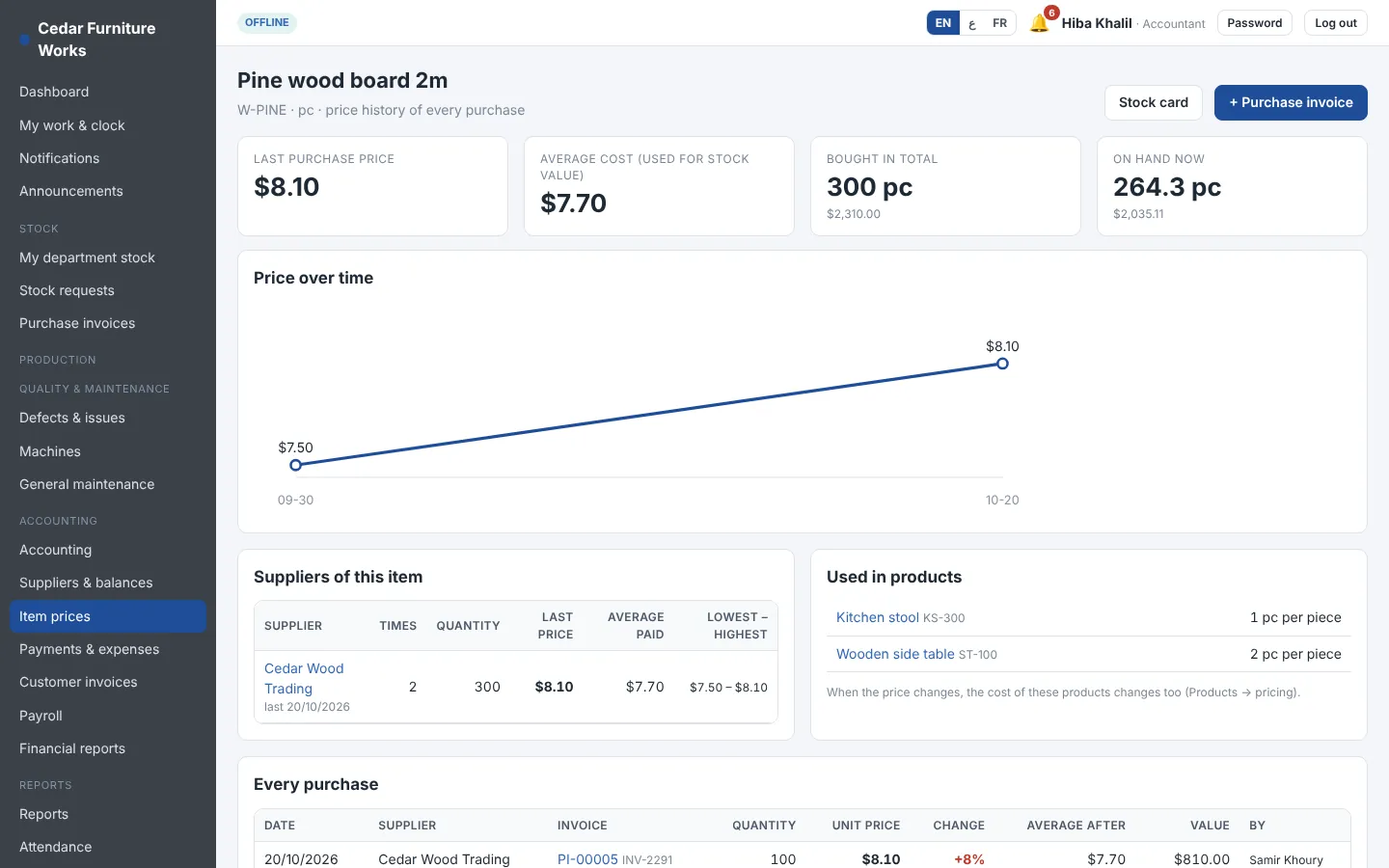
Every invoice, every price, every supplier
Enter the supplier's invoice with a phone photo. Stock goes in, prices update, and the item's history shows every purchase with its supplier and price change.
- Duplicate invoice numbers blocked
- New items created from the invoice
- Cancel safely: stock and prices restored
Team
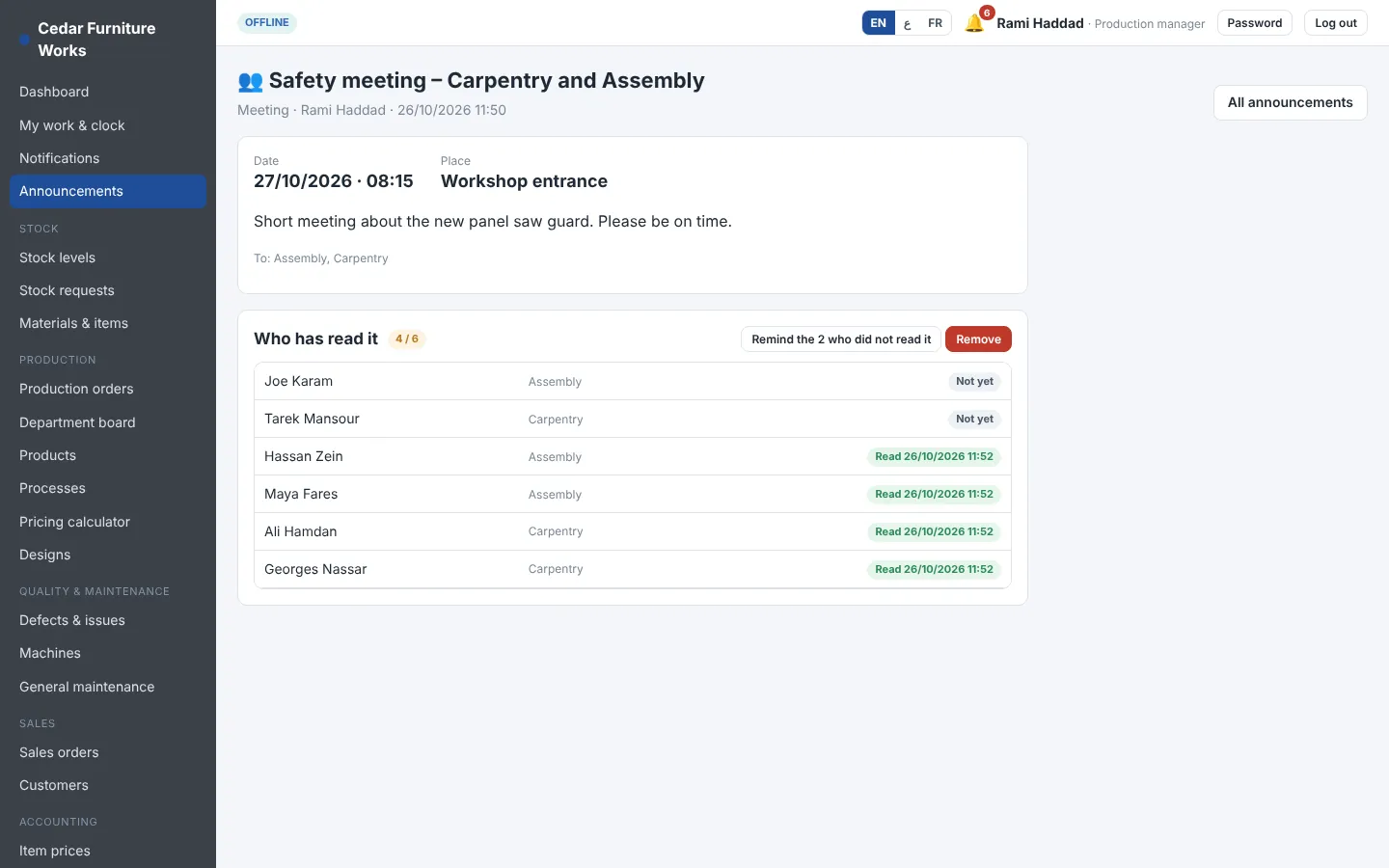
Announcements with read receipts
Tell everybody the factory is closed on Friday, call Carpentry and Assembly to a safety meeting, or announce new working hours. Choose everybody, departments, roles or people; they see it on their phone until they open it.
- See who read it and remind the others
- Holiday, meeting, safety and working-hours types
- Supervisors write to their own department
Attendance
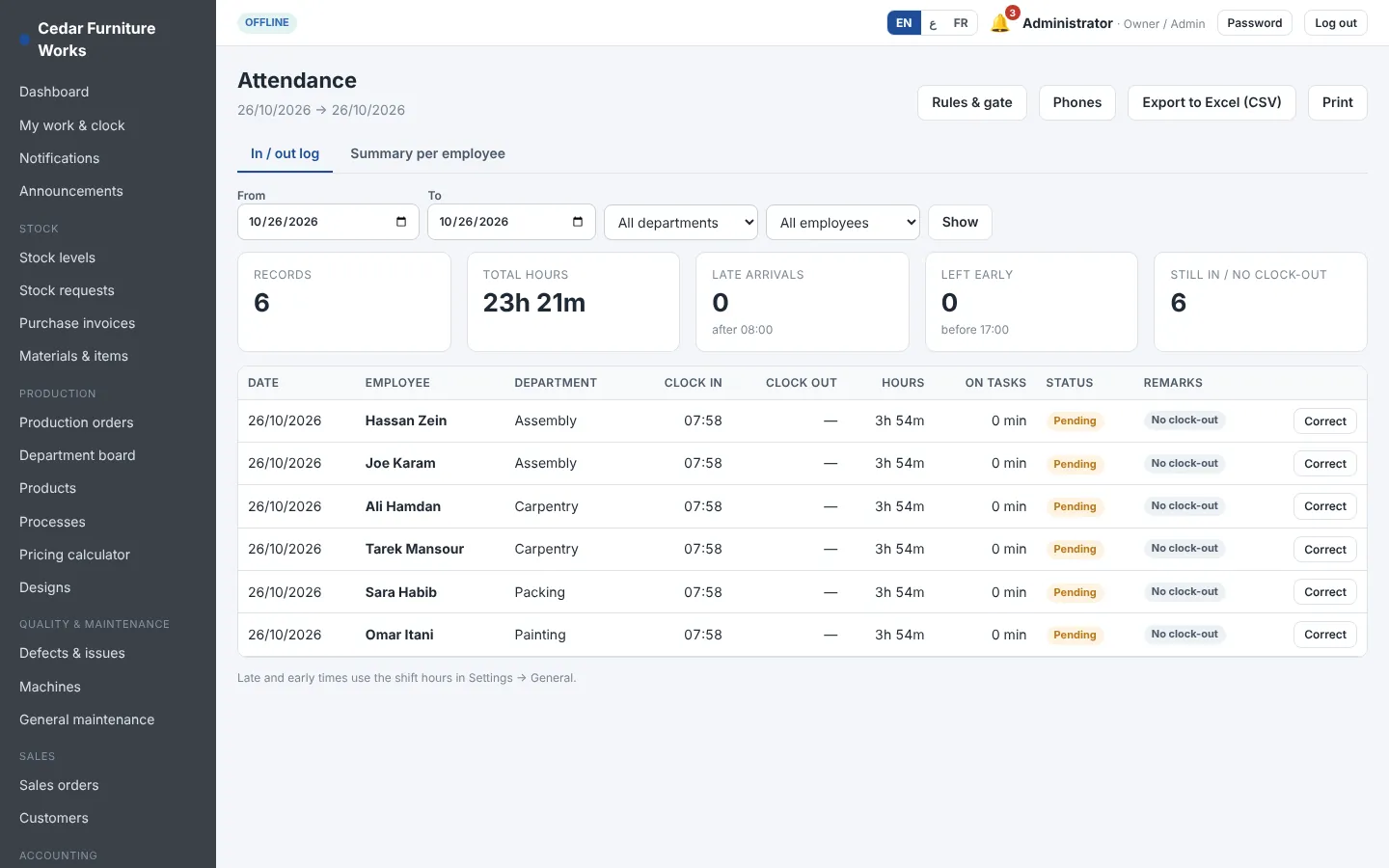
In and out, late and early
A log of every clock in and clock out, with late arrivals and early leaving against your shift hours, and the time spent on tasks.
- Summary per employee
- Corrections by the manager
- Export to Excel
Machines
Maintenance before the breakdown
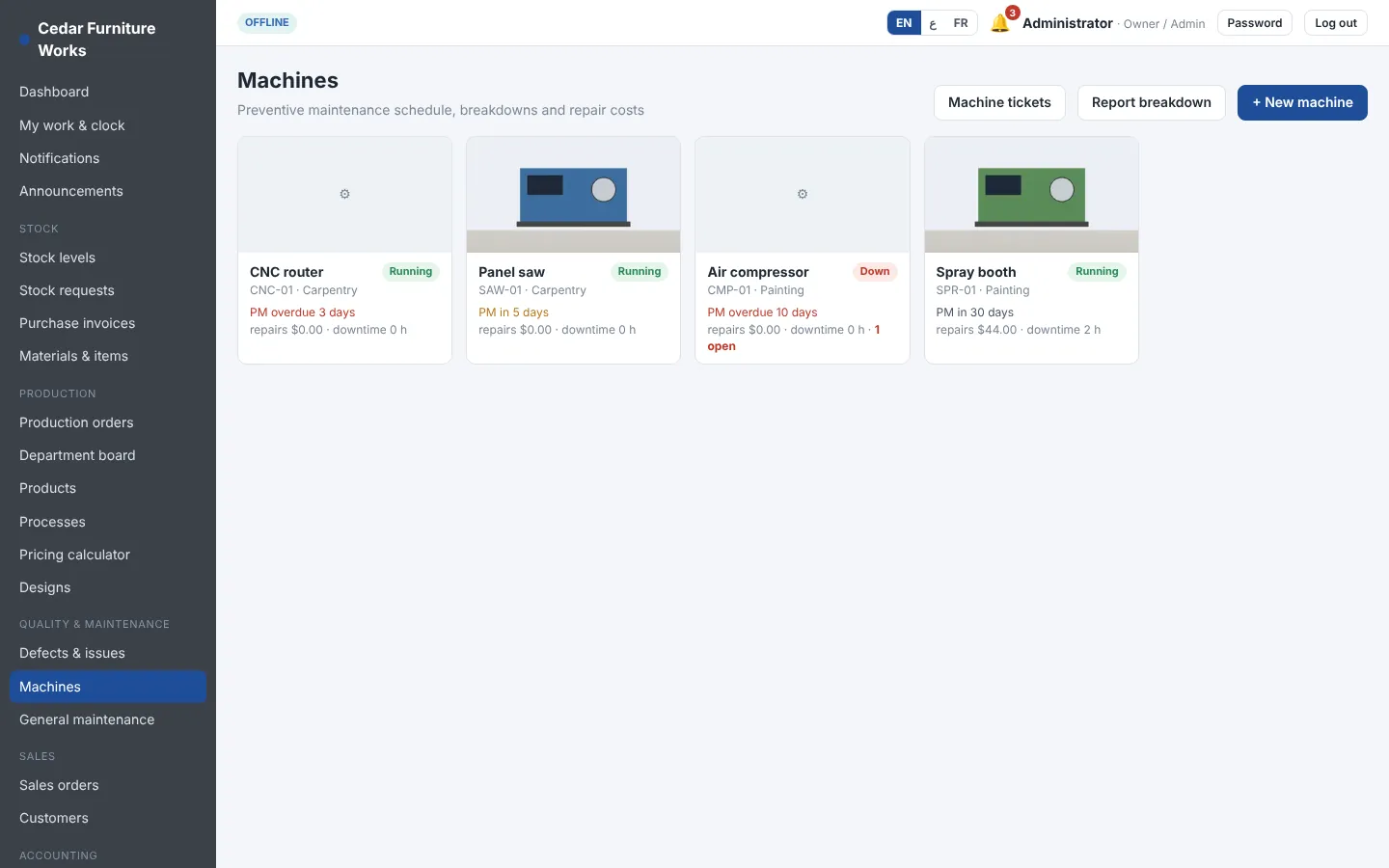
Each machine has its preventive maintenance schedule and checklist, its breakdowns, downtime and repair costs. General maintenance of the building has its own tickets.
- Maintenance due list
- Cost per machine
- Machine cost per hour in product cost
Overview
The day of the factory on one screen
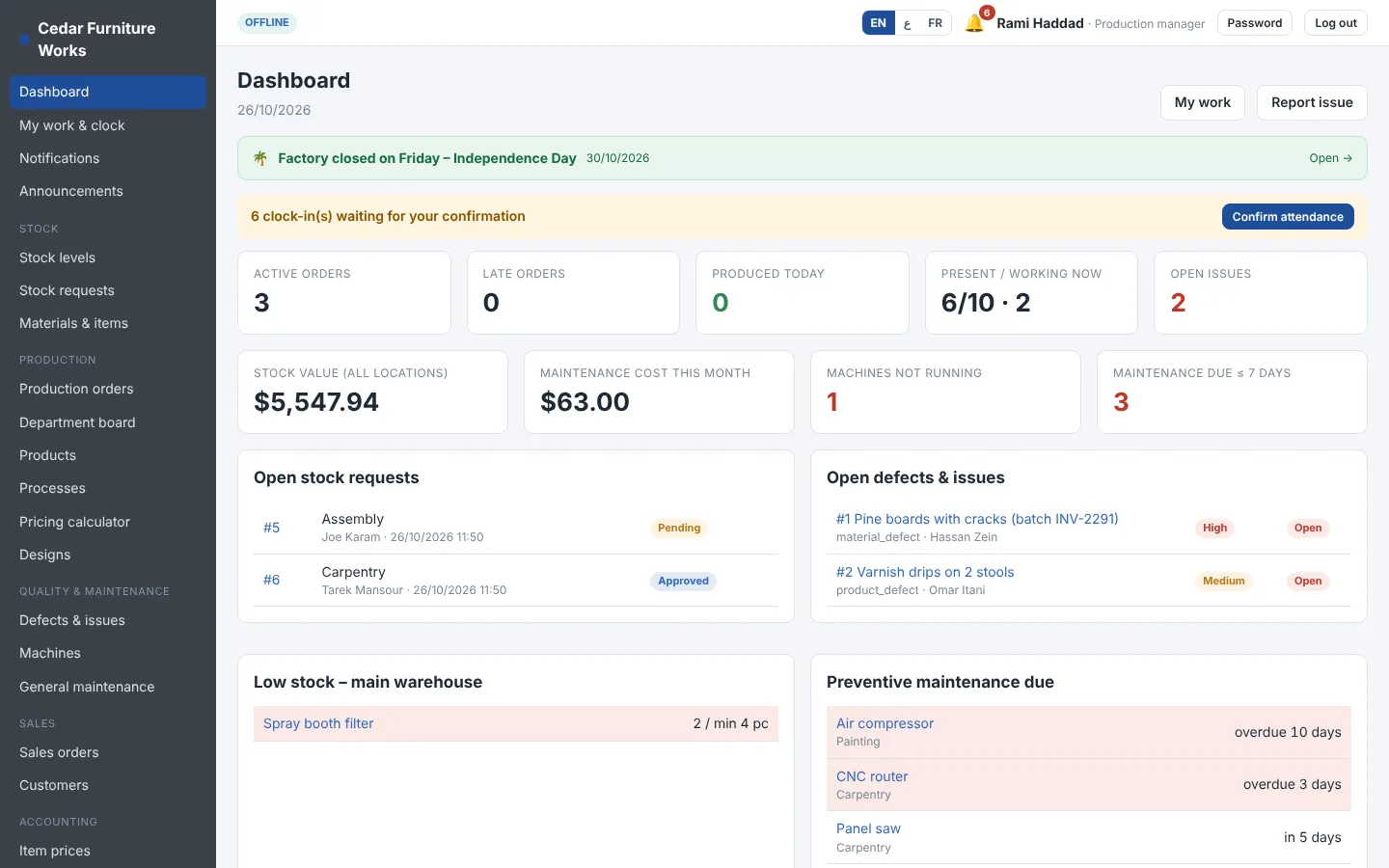
Orders in progress, late orders, who is present, machines down, low stock, open defects and maintenance due.
- Different dashboard for each role
- Notifications for every step
- Works on phones, tablets and computers